Bug #1399
open

100% Stacked Area Chart – Visual and General Issues in Arabic & English UI
Description
General chart issue:
When the chart is downloaded, not all data appears clearly when the chart size is small, which requires manually enlarging the chart to view all data properly.
Visual
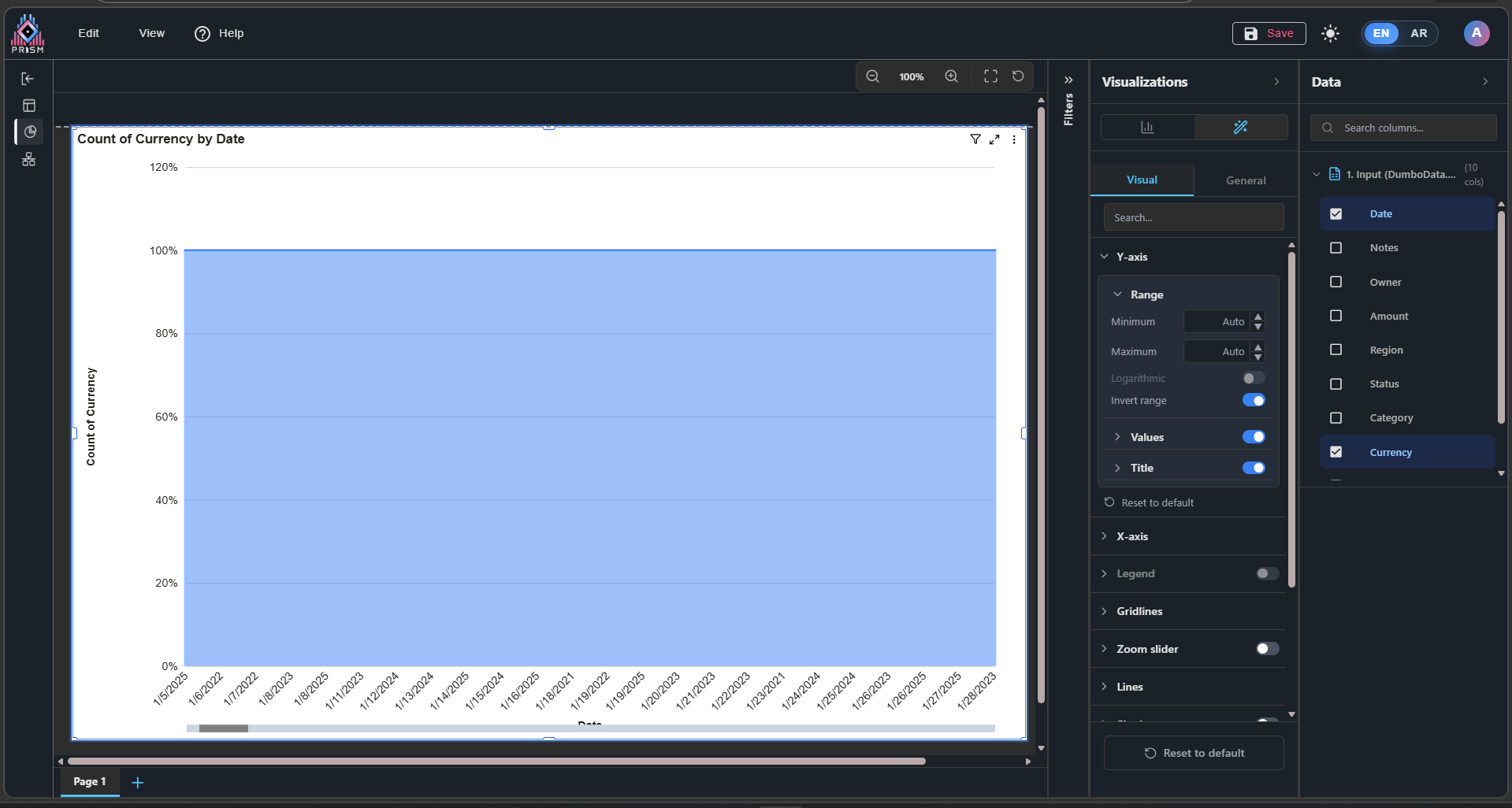
1. In the Y-axis, the Reverse Range option does not work.
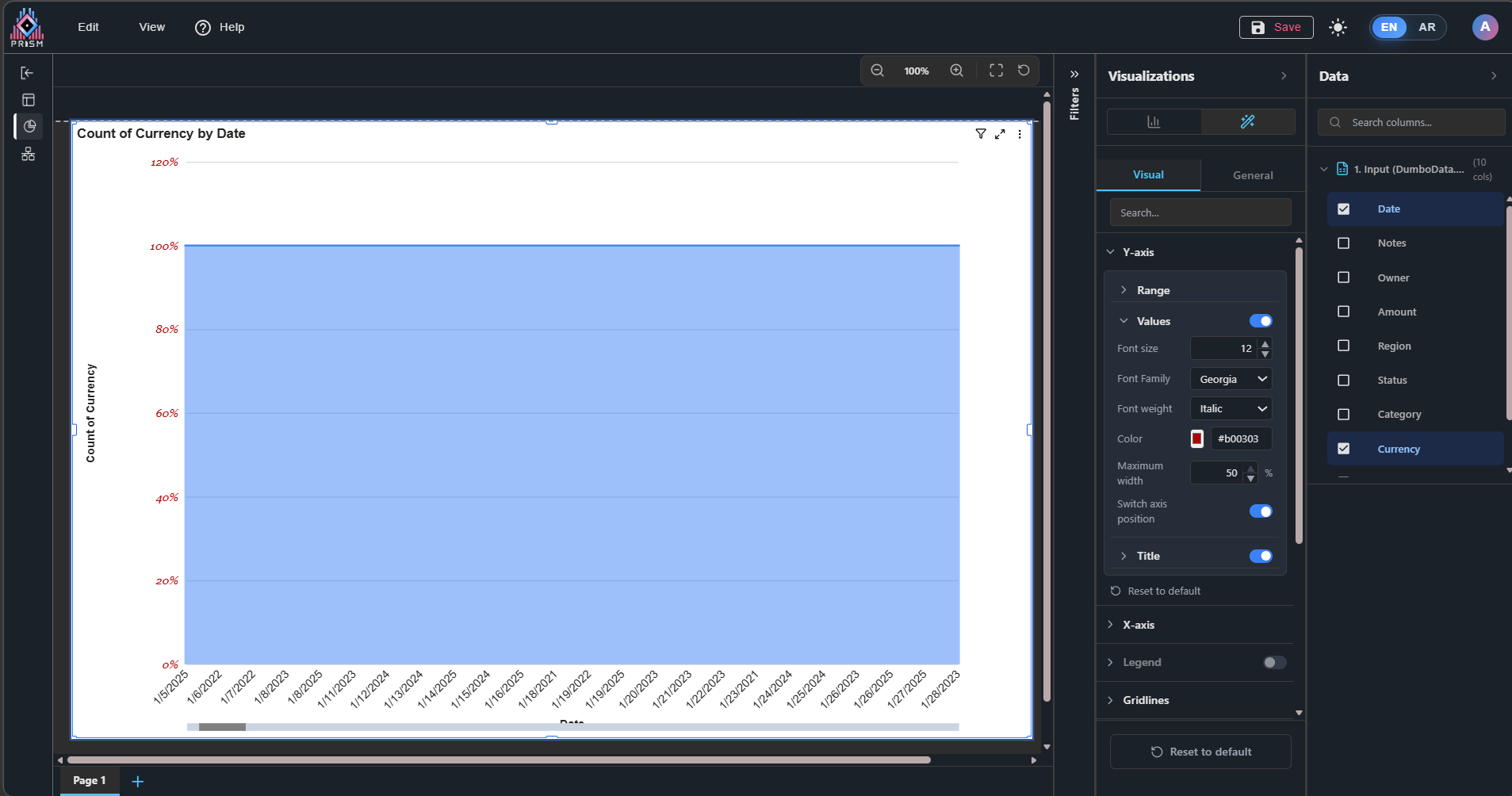
2. In Y-axis > Values, the Maximum option does not work, and changing the Axis Position does not work as expected.
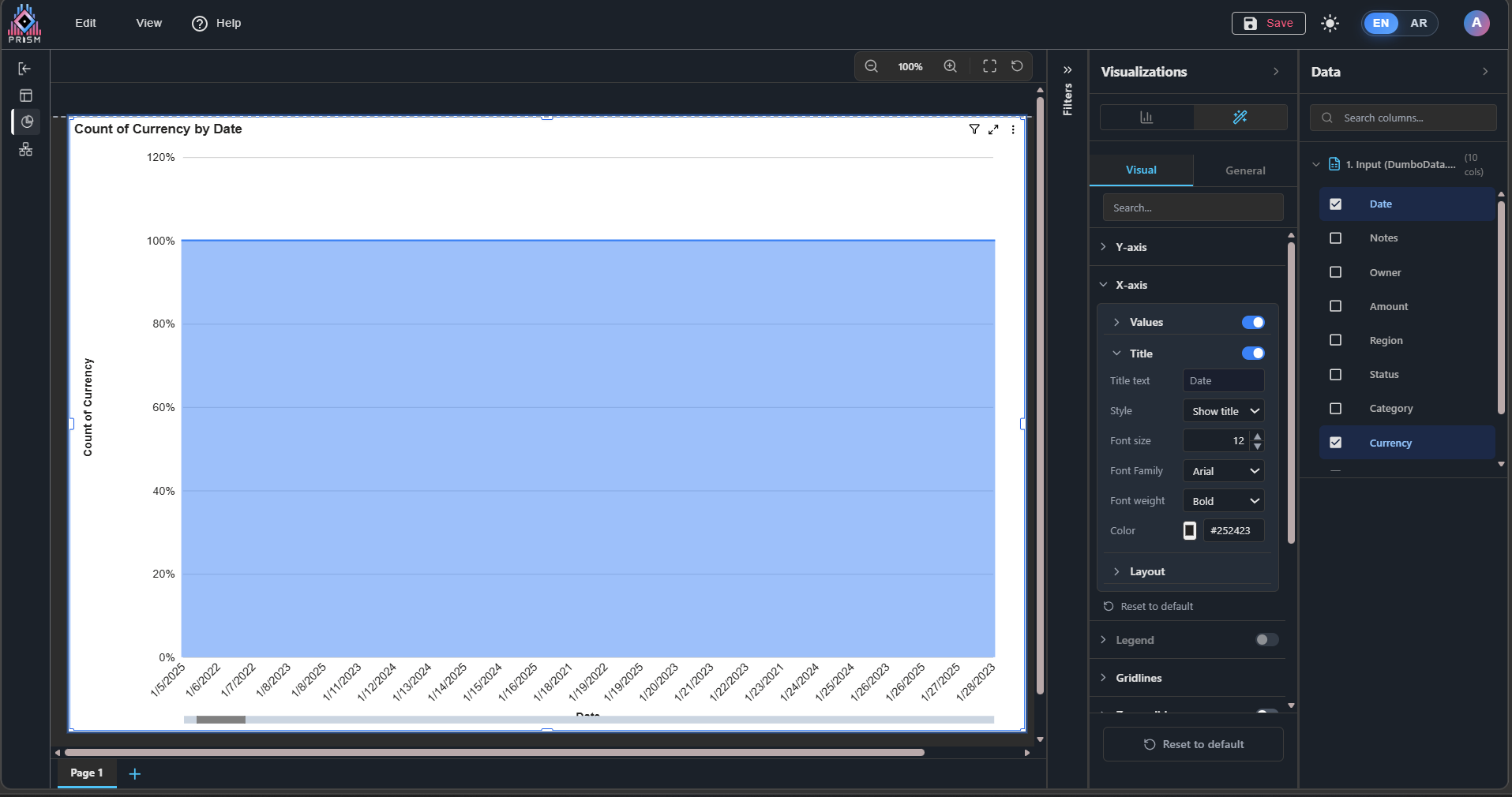
3. In the X-axis, the title is not fully displayed unless the minimum category width is increased in the layout settings.
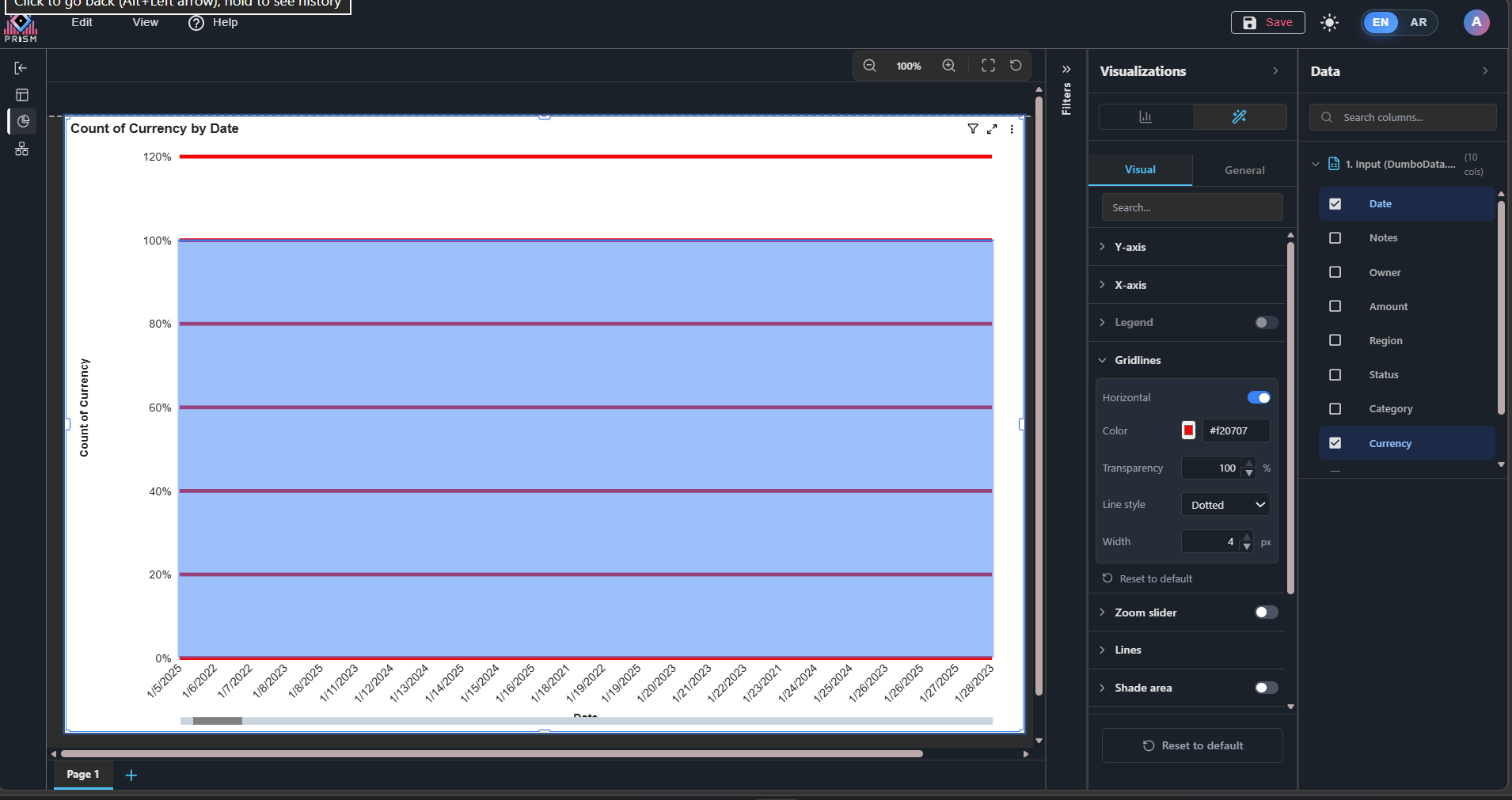
4. In Grid Lines, the transparency option does not work, and the line style also does not work.
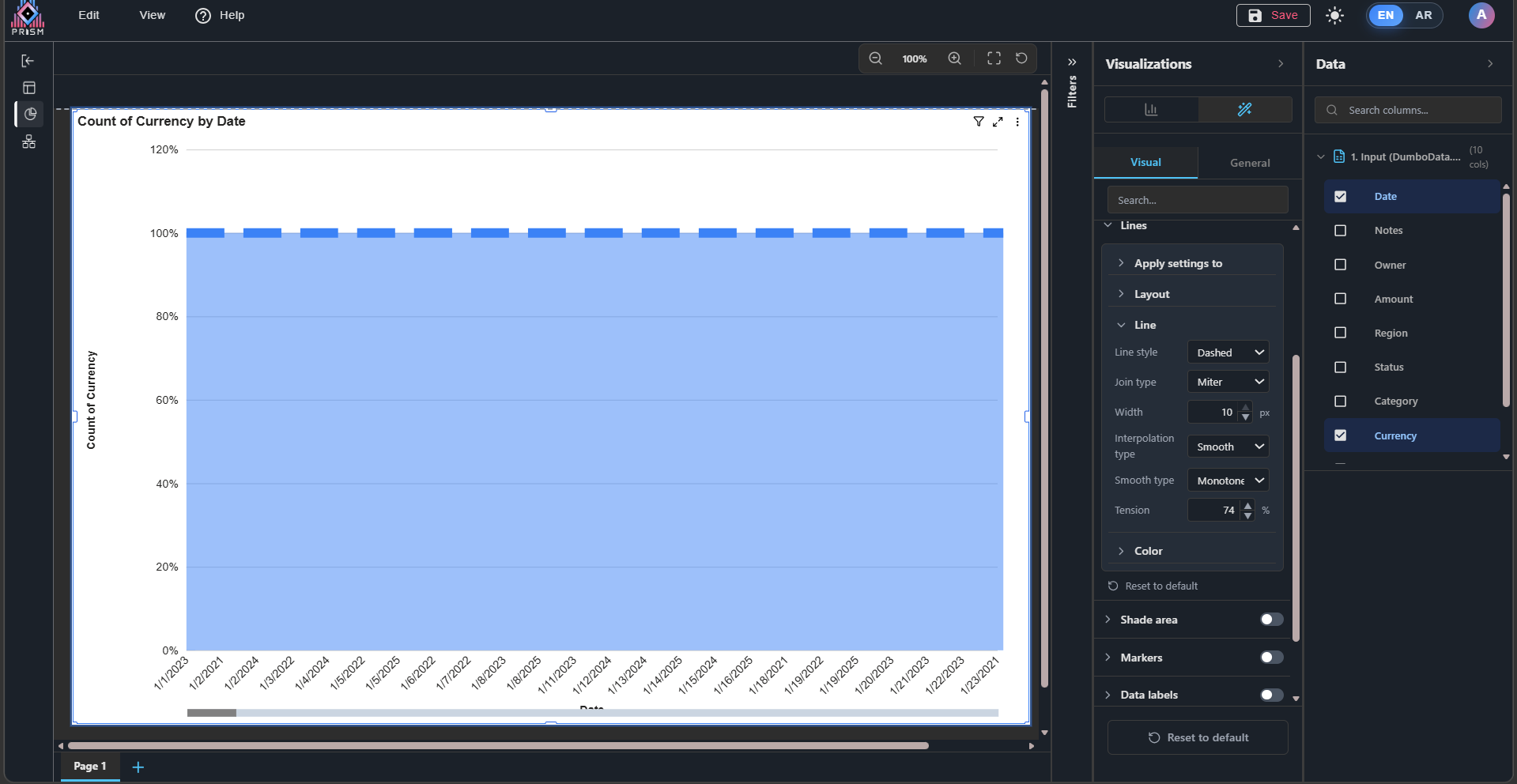
5. In Line settings, Join Type, Interpolation Type, and Tension do not work.
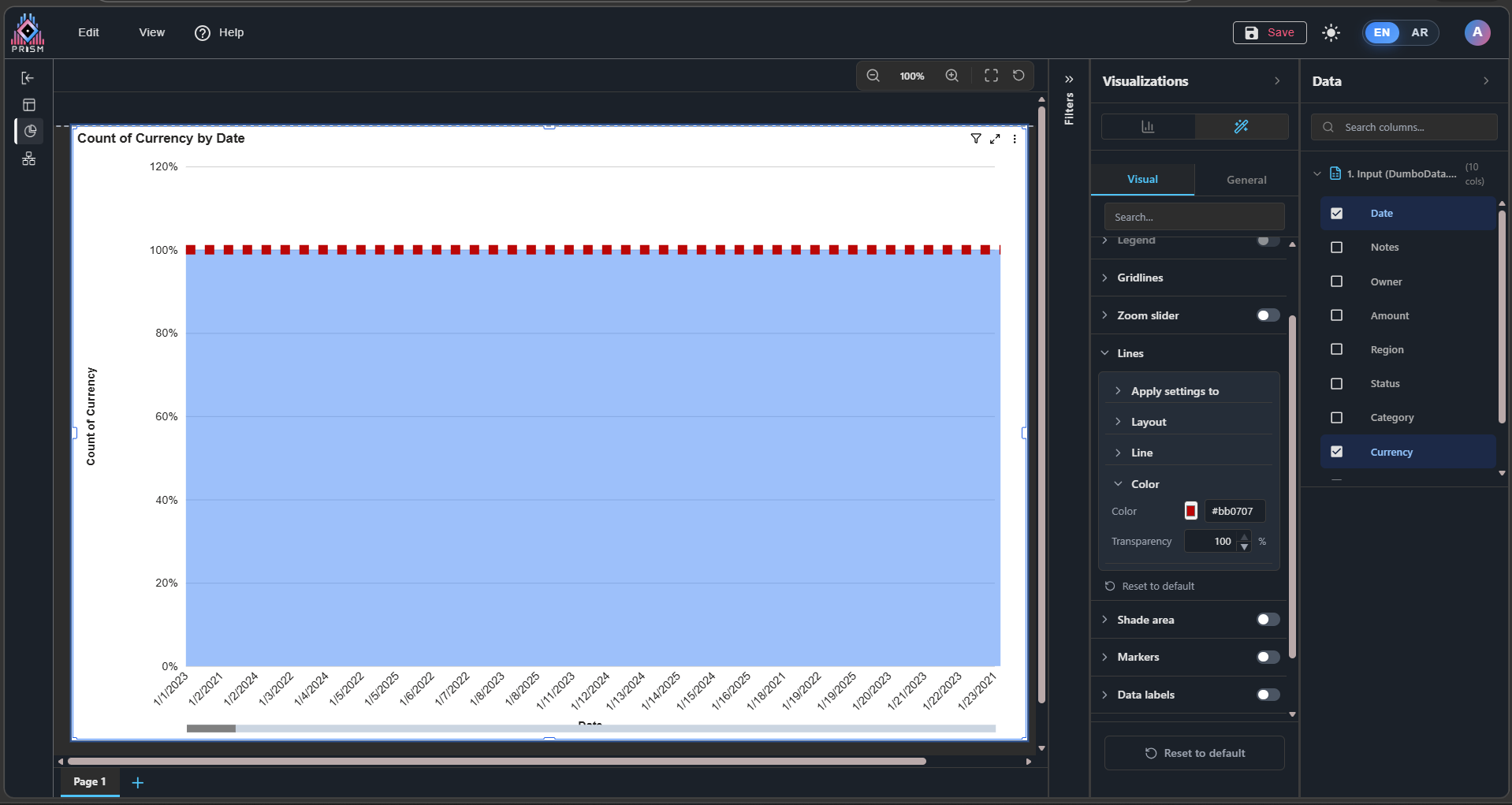
6. In Line settings, the color works, but transparency does not work.
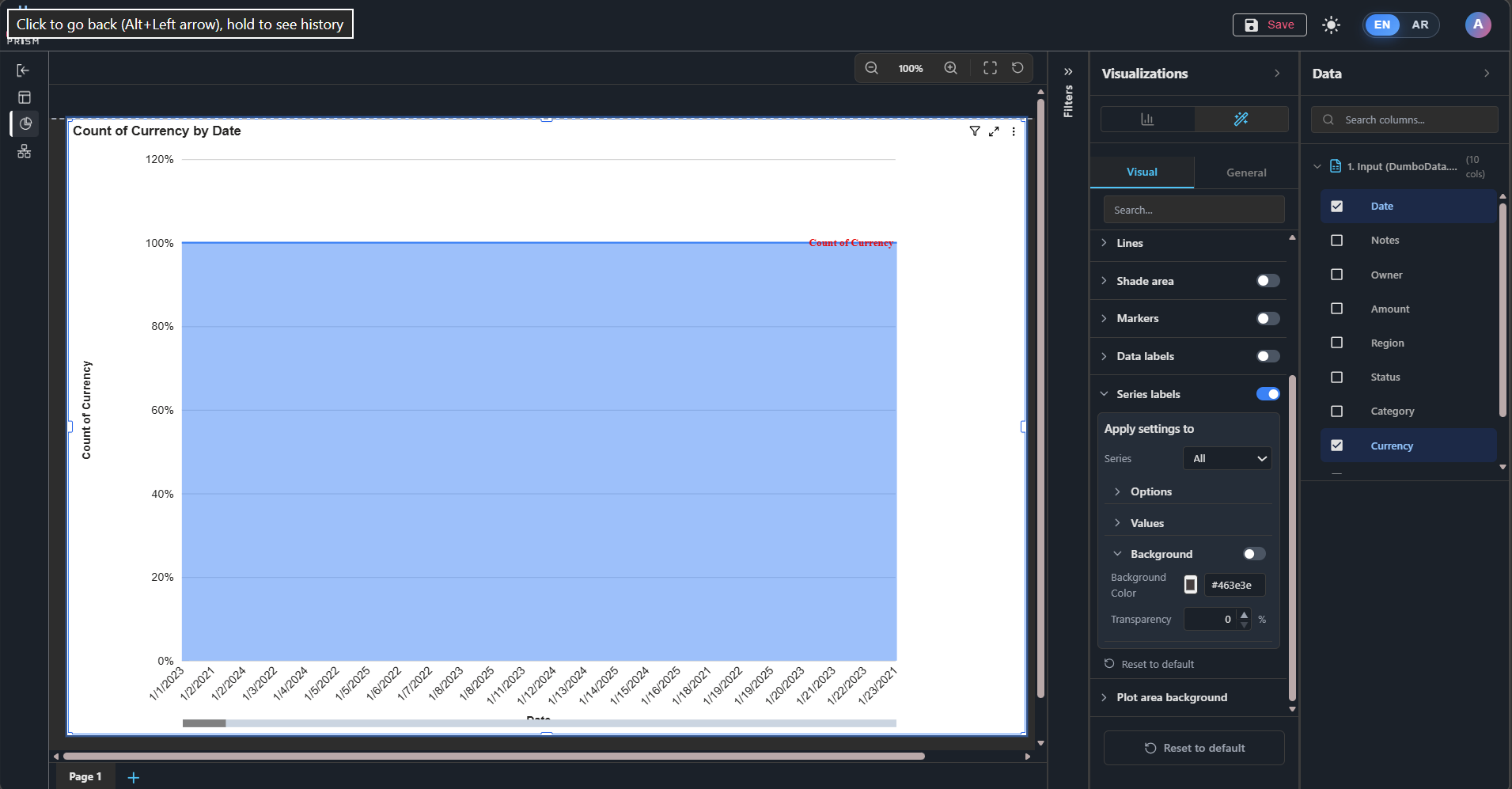
7. In Series Labels, the background option does not work.
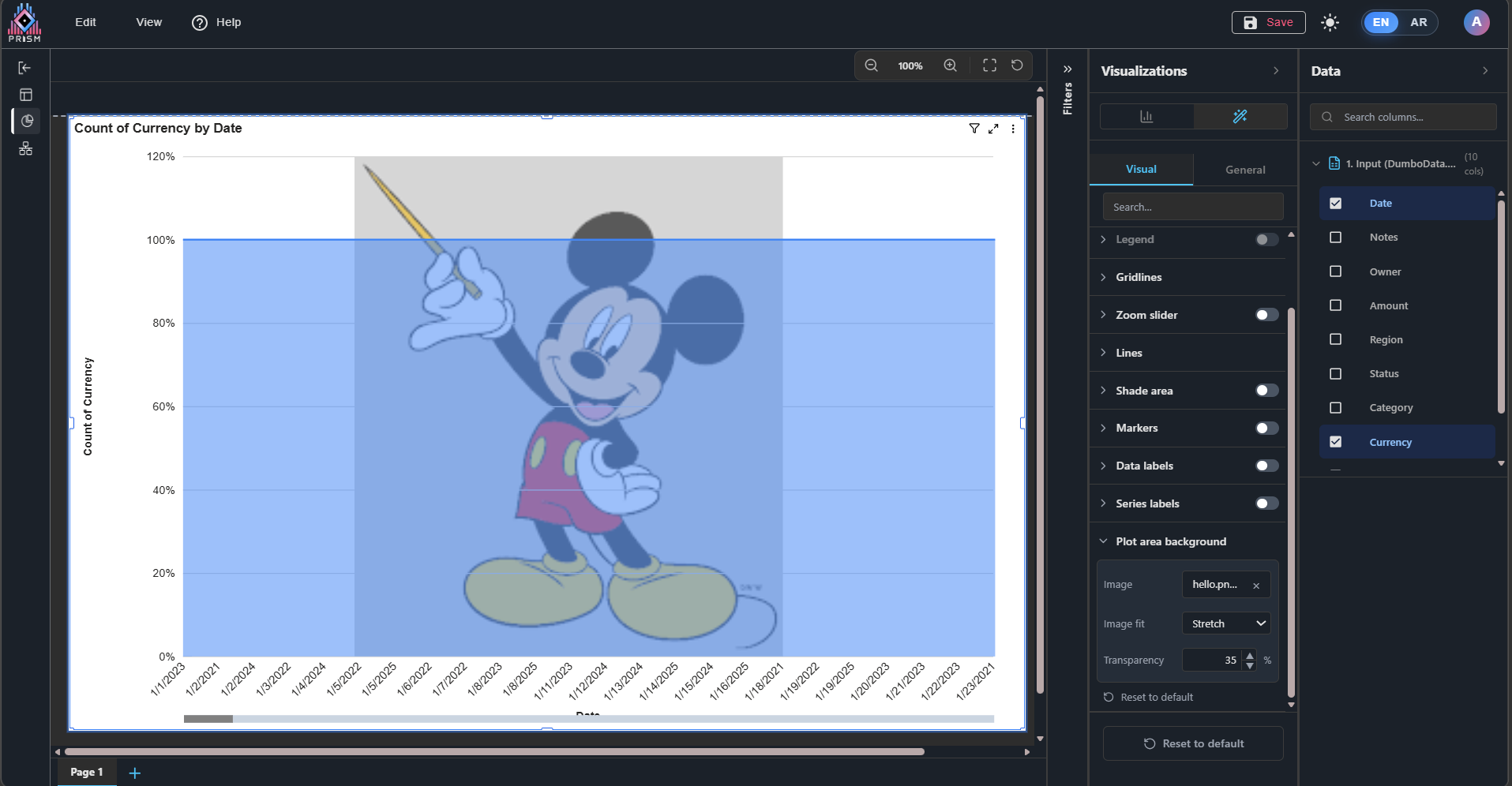
8. In the Plot Area Background, when fitting an image and setting it to Stretch, it does not work as expected.
General
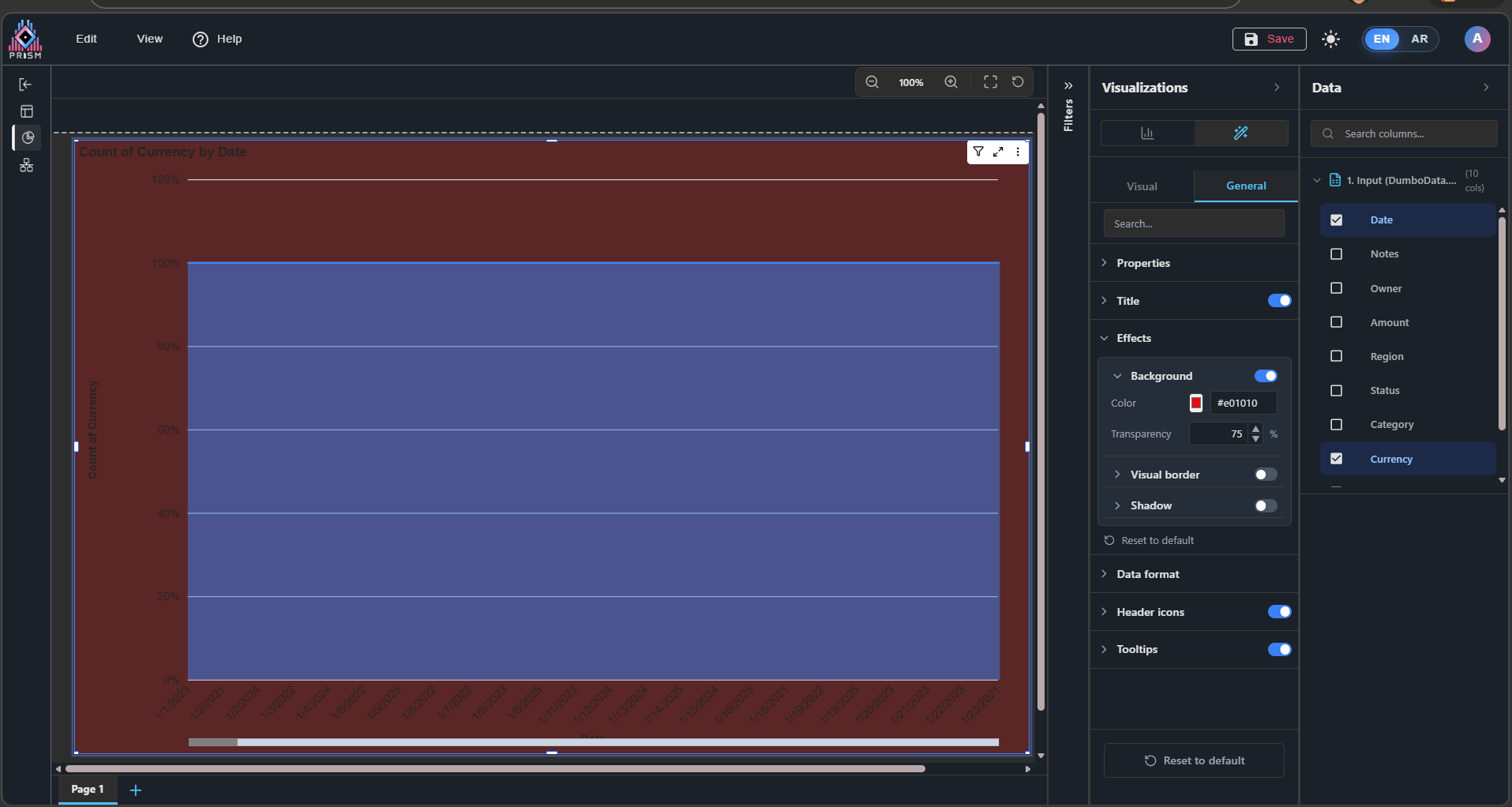
1. In Effects - Background, the transparency option applies background darkening instead of actual transparency as expected.
Files
| 1.png (111 KB) 1.png | Image (1): Demonstrates the general chart issue. | ||
| 2.png (140 KB) 2.png | Image (2): Demonstrates the issue mentioned in point 1 – Visual section. | ||
| 3.png (131 KB) 3.png | Image (3): Demonstrates the issue mentioned in point 2 – Visual section. | ||
| 4.png (139 KB) 4.png | Image (4): Demonstrates the issue mentioned in point 3 – Visual section. | ||
| 5.png (139 KB) 5.png | Image (5): Demonstrates the issue mentioned in point 4 – Visual section. | ||
| 6.png (138 KB) 6.png | Image (6): Demonstrates the issue mentioned in point 5 – Visual section. | ||
| 7.png (140 KB) 7.png | Image (7): Demonstrates the issue mentioned in point 6 – Visual section. | ||
| 8.png (134 KB) 8.png | Image (8): Demonstrates the issue mentioned in point 7 – Visual section. | ||
| 9.png (239 KB) 9.png | Image (9): Demonstrates the issue mentioned in point 8 – Visual section. | ||
| 10.png (122 KB) 10.png | Image (10): Demonstrates the issue mentioned in point 1 – General section. |
 Updated by ALi RAZA 22 days ago
- Status changed from New to Resolved
- % Done changed from 0 to 100
Resolved - 100% Stacked Area Chart – Visual and General Issues in Arabic & English UI
Now these all are working as expected as you can see in the video as well.
Video Attachment: https://somup.com/cOeOIYVcURG
 Updated by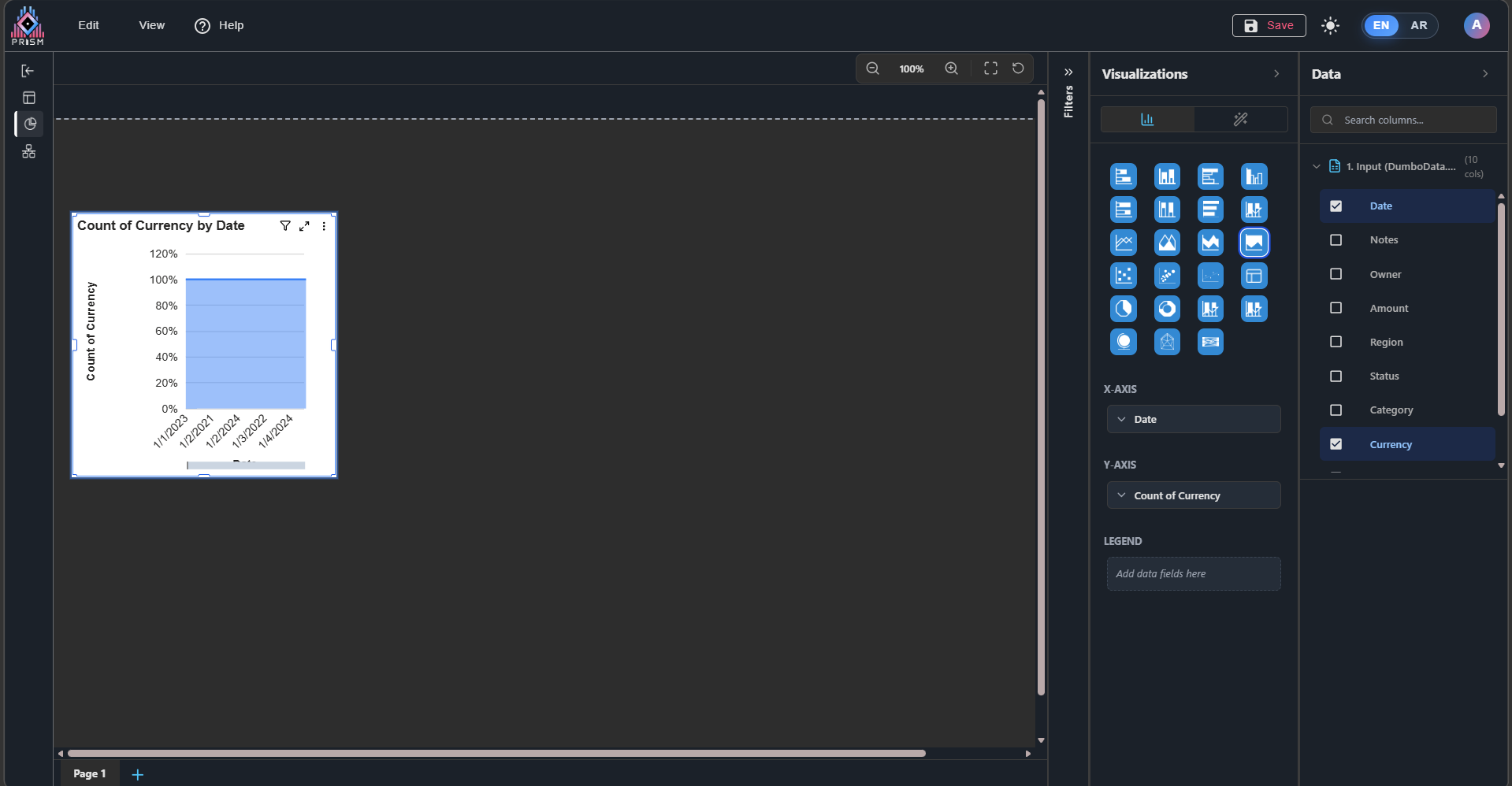
 Updated by Fareena Anayat 21 days ago
This issue has been tested and fixed now, not moving yet till approval