Actions
Bug #1642
open

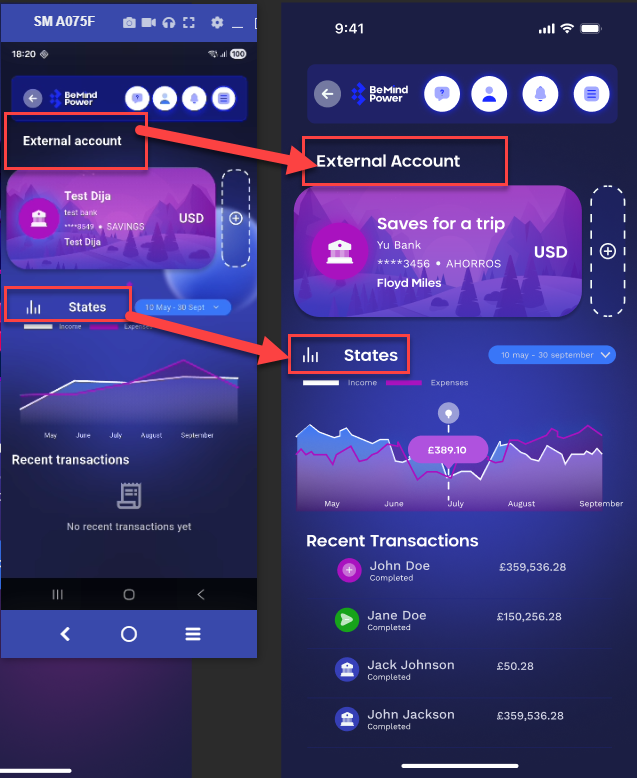
Extra space between States text and chart icon, and incorrect “Account” text casing
Start date:
04/14/2026
Due date:
% Done:
0%
Estimated time:
Description
On the External Account screen, the Stats section has UI inconsistencies:
- There is excessive gap/spacing between the “Stats” text and the chart icon
- The word “Account” is incorrectly written with lowercase “a” instead of uppercase
Steps to Reproduce
- Open External Account screen
- Navigate to Stats section
- Observe spacing and text
Actual Result
- Extra/unnecessary spacing between Stats text and chart icon
- “account” is written with small “a”
Expected Result
- Proper spacing between Stats text and icon
- Correct text casing: “Account” (capital A)
Files
No data to display
Actions