Bug #909
open

Line chart transparency color is not applied correctly in Prism
Description
In Prism → Visualization Canvas → Chart Visual → Line section, the line color transparency option does not work as expected.
When users adjust the transparency settings for the line chart, the visual appearance of the line does not update accordingly.
This impacts chart customization and visual clarity.
Actual Result
Changing the line transparency value has little to no effect on the line color.
The line does not reflect the selected transparency level.
No visible difference is observed after applying transparency changes.
Expected Result
Adjusting the line transparency should immediately update the line color on the visualization canvas.
The line should correctly reflect the selected transparency level (e.g., lighter or more transparent appearance).
Transparency changes should be applied consistently across the chart.
Files
 Updated by Malik Mehmood 3 months ago
- Assignee changed from mirza asad to ALi RAZA
 Updated by ALi RAZA 2 months ago
- Status changed from In Progress to Resolved
- % Done changed from 0 to 100
Fix - Line chart transparency color is not applied correctly in Prism
Expected Result
- Adjusting the line transparency should immediately update the line color on the visualization canvas.
- The line should correctly reflect the selected transparency level (e.g., lighter or more transparent appearance).
- Transparency changes should be applied consistently across the chart.
 Updated by Maryam Farooq 2 months ago
- Status changed from Ready For QA to Closed
 Updated by Abdullah Jaroudi about 2 months ago
- File clipboard-202603020024-oigpn.png clipboard-202603020024-oigpn.png added
- File clipboard-202603020029-zwry6.png clipboard-202603020029-zwry6.png added
- File clipboard-202603020029-ivax1.png clipboard-202603020029-ivax1.png added
- File clipboard-202603020030-zzic1.png clipboard-202603020030-zzic1.png added
- File clipboard-202603020033-i0yj5.png clipboard-202603020033-i0yj5.png added
- File clipboard-202603020033-he83t.png clipboard-202603020033-he83t.png added
- Status changed from Closed to Feedback
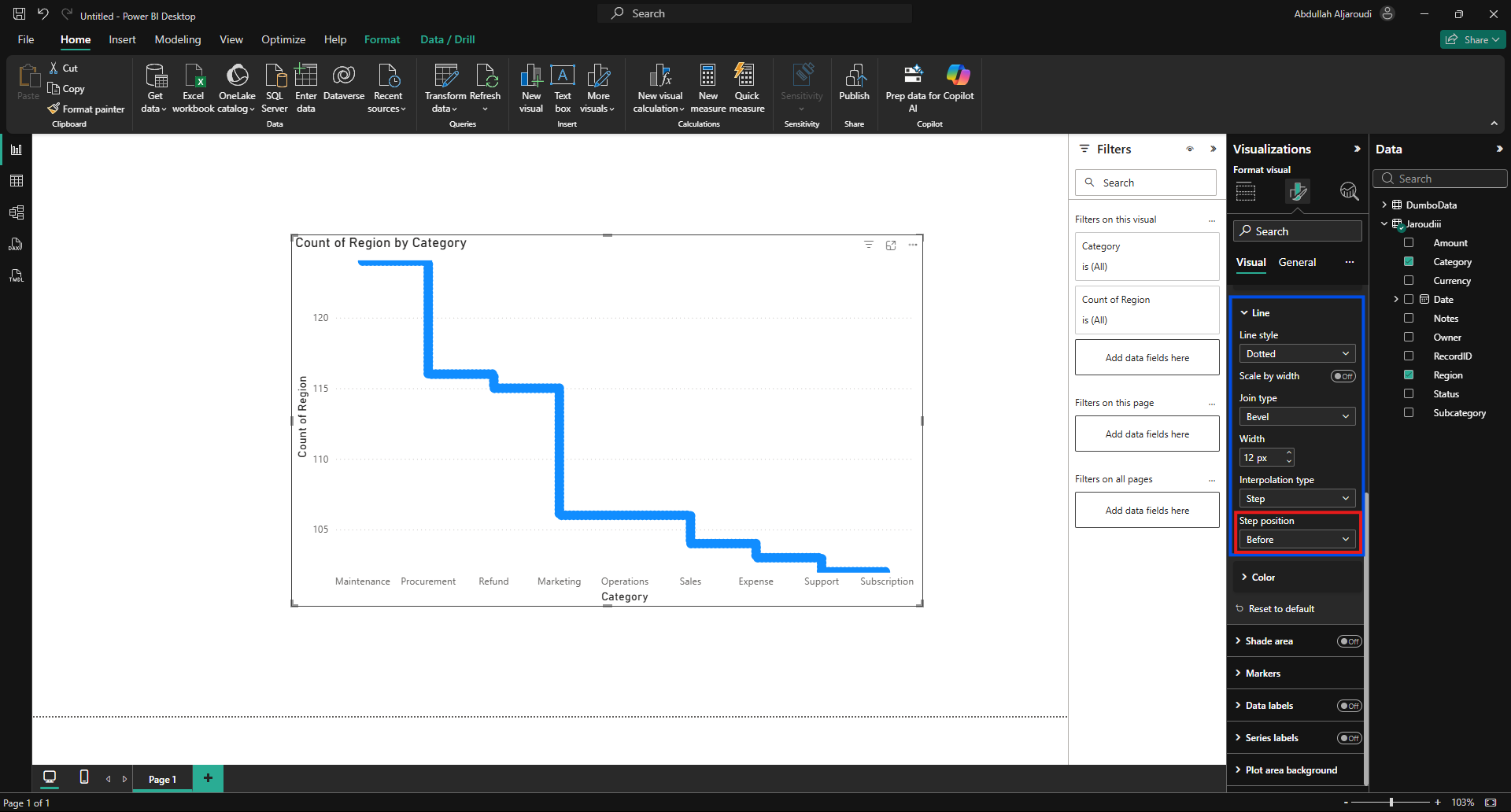
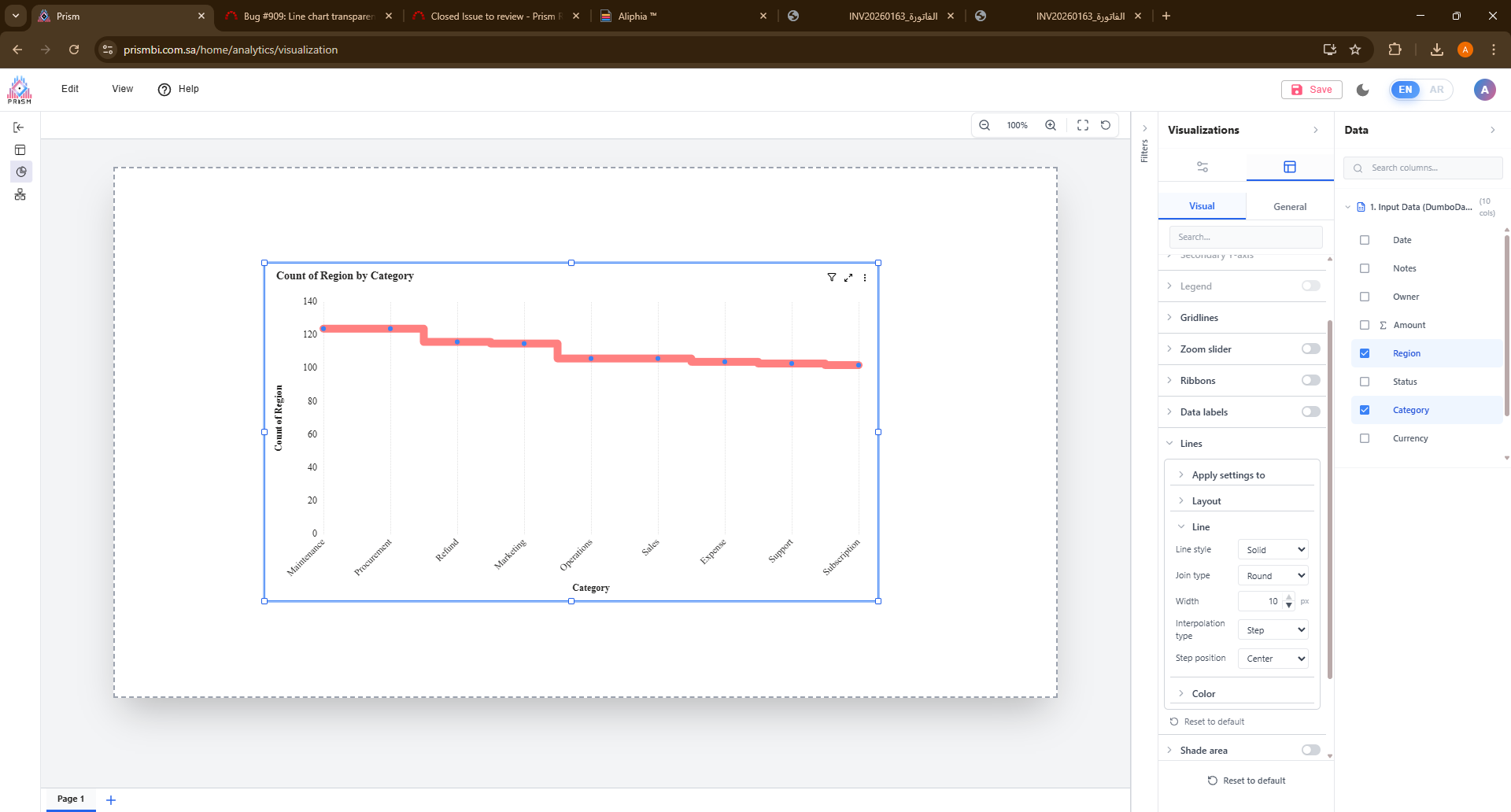
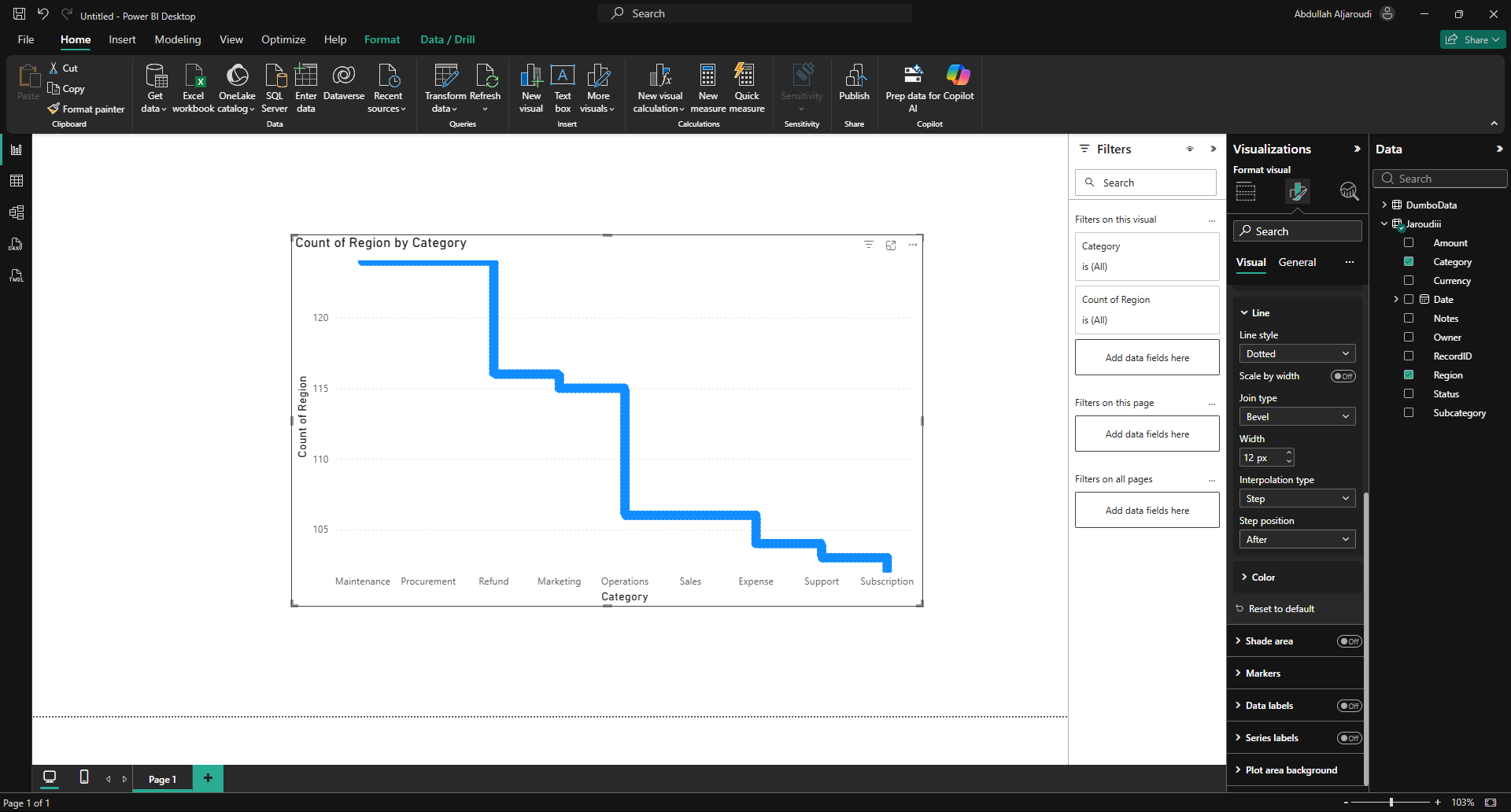
Transparency issue is solved, but the "Step Position" is not solved
i attached the difference between powerbi and prism "step position" function. (center, before, after)
 Updated by Fareena Anayat about 1 month ago
- Project changed from 16 to Prism Release 2
 Updated by